¡TWO FRIENDS BLOG!

| Suscríbete vía RSS

Monday, February 1, 2010

4 mozilla add-ons for Bloggers

| 0 comments |


It is widly used by most of all bloggers.It's main revenue is that, we can know the alexa ranks of every website we are visiting by it.This will help you a lot in the case of link exchanges and advertising.As it is said that, the visits with alexa toolbars have a great impact on the alexa rankings, It also helps us to Increase our alexa rankings.I am using it for the past 3 months and I am having very very good results onmy alexa ranking due to this tool.This toolbar also makes it enable to see the traffic trends,reach meter and related link for the site you visits.

2.SEO for Firefox
This is also one another amazing tool for bloggers.This tool encircle the no-follow links on the site you are visiting with a red colour.This will really helps you to Identify the no-follow and dofollow blogs/forums.Not just that, this is also a great SEO tool.See the screenshot to know about the details they gives to you about a page.


style="font-family: Times,"Times New Roman",serif;"> A blogger have to share his articles inorder to get some nice visitors.This mozilla add-on helps you to share your contents with your family and friends.You must use this if you are depending on visitors from social networking sites. See the screenshot to know about it.

4.Stumble upon toolbar

This is a must toolbar for every Blogger to promote his article.Stumble upon is one of the worlds largest social networking site which most of all internet users in the world surfs.If you use it properley and have good articles, Stumbleupon can send you a lot of insant traffic/targeted visitors.So, you have to add it, to promote your blog.

These are just some 4 add-ons which i think as better.There are several other add-ons.But I just consider the top of them.If there are any other top add-ons which I hadn't noticed.Please feel free to post it here as a comment as I could make it as another post or update this post and add....

Related Posts with Thumbnails for Blogger

| 0 comments |


Displaying the links to related posts along with a thumbnail of the corresponding post will help you increase the page views/user .Users will be tempted to go for the related posts when they are presented attractively with thumbnails.
This is another first release from me.This one also uses the media thumbnails generated by blogger for each post.
For displaying the thumbnails,this widget will use the images uploaded for the post using the blogger image uploader(from the post editor)

Related Posts Widget with Thumbnails for Blogger

Here are the detailed installation steps
1.First of all Login to your blogger dashboard and navigate to Layout > Edit HTML
2.Now look for

and replace it with


4.You can adjust the maximum number of related posts being displayed by editing this line in the code.

var maxresults=5;

5.To edit the title of the widget you can change this line of code

var relatedpoststitle="Related Posts";

List Of Search Engines To Submit Your Blog

| 0 comments |


List of Search Engines,you may submit your site URL to these search engines for Free. If you dont have enough time to submit your site or blog thn submit to the top few leading search engines like google and yahoo or msn or your local engines.This is not the complete list of search engines but are enough to give an start to your blog,as you will find countless amount of search engines on web you wouldn't have heard of.


Website Submission Services

There are many websites on the net offering free website submission services to search engines. The list of search engines are by and large the same. Some offer fee to send your URL to more than a hundred search engines. Is it necessary to have your webpage listed in all the smaller search engines? We think that Google, Yahoo! and MSN have cornered such a large share of the market that it is sufficient just to have your website listed there. However, the decision is yours to make.If you still want that you can do that that too.


5 ѕιмρℓє ωαуѕ тσ ιη¢яєαѕє уσυя ιηтєℓℓιgєη¢є

| 0 comments |

Your brain needs exercise just like a muscle. If you use it often and in the right ways, you will become a more skilled thinker and increase your ability to focus. But if you never use your brain, or abuse it with harmful chemicals, your ability to think and learn will deteriorate.
Here are 5 simple ways anyone can squeeze a bit more productivity out of the old gray matter.


1. Minimize Television Watching - This is a hard sell. People love vegetating in front of the television, myself included more often than I’d like. The problem is watching television doesn’t use your mental capacity OR allow it to recharge. It’s like having the energy sapped out of a muscle without the health benefits of exercise.
Don’t you feel drained after a couple hours of TV? Your eyes are sore and tired from being focused on the light box for so long. You don’t even have the energy to read a book.
When you feel like relaxing, try reading a book instead. If you’re too tired, listen to some music. When you’re with your friends or family, leave the tube off and have a conversation. All of these things use your mind more than television and allow you to relax
2. Exercise - I used to think that I’d learn more by not exercising and using the time to read a book instead. But I realized that time spent exercising always leads to greater learning because it improves productivity during the time afterwards. Using your body clears your head and creates a wave of energy. Afterwards, you feel invigorated and can concentrate more easily.

3. Read Challenging Books - Many people like to read popular suspense fiction, but generally these books aren’t mentally stimulating. If you want to improve your thinking and writing ability you should read books that make you focus. Reading a classic novel can change your view of the world and will make you think in more precise, elegant English. Don’t be afraid to look up a word if you don’t know it, and don’t be afraid of dense passages. Take your time, re-read when necessary, and you’ll soon grow accustomed to the author’s style.
Once you get used to reading challenging books, I think you’ll find that you aren’t tempted to go back to page-turners. The challenge of learning new ideas is far more exciting than any tacky suspense-thriller.

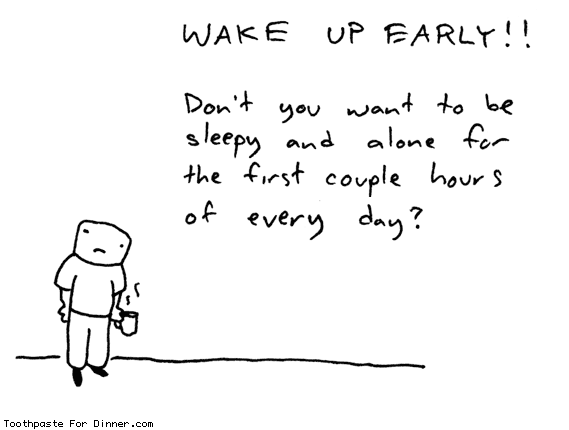
4. Early to Bed, Early to Rise - Nothing makes it harder to concentrate than sleep deprivation. You’ll be most rejuvenated if you go to bed early and don’t sleep more than 8 hours. If you stay up late and compensate by sleeping late, you’ll wake up lethargic and have trouble focusing. In my experience the early morning hours are the most tranquil and productive. Waking up early gives you more productive hours and maximizes your mental acuity all day.
If you have the opportunity, take 10-20 minute naps when you are hit with a wave of drowsiness. Anything longer will make you lethargic, but a short nap will refresh you.

5. Take Time to Reflect - Often our lives get so hectic that we become overwhelmed without even realizing it. It becomes difficult to concentrate because nagging thoughts keep interrupting. Spending some time alone in reflection gives you a chance organize your thoughts and prioritize your responsibilities. Afterwards, you’ll have a better understanding of what’s important and what isn’t. The unimportant stuff won’t bother you anymore and your mind will feel less encumbered.
I’m not saying you need to sit on the floor cross-legged and chant ‘ommm’. Anything that allows a bit of prolonged solitude will do. One of my personal favorites is taking a solitary walk. Someone famous said, “All the best ideas occur while walking.” I think he was on to something. Experiment to find the activity that works best for you.
source->www.pickthebrain.com

How to Block a Sender in Yahoo! Mail

| 0 comments |


Yahoo! Mail can block all mail from up to 500 email addresses. All mail from these senders will be automatically deleted before you see it.
Do not let the high number of potential addresses to block lure you into fighting spam with this, though. Spammers can use a fresh address (or domain) for just about every message.
Use the list of blocked senders for individual senders whose messages you don't want to receive but can't stop easily. Instead of deleting every incoming mail manually, you can have Yahoo! Mail do the job.

Block a Sender in Yahoo! Mail

To have Yahoo! Mail delete all mail from a particular address automatically:
  • Select Options | Mail Options... in Yahoo! Mail.
  • Go to the Spam category.
  • Type the unwanted email address under Add a blocked address:.
  • Click Add.
  • Now click Save Changes.

Block a Sender in Yahoo! Mail Classic

To add an email address to the list of blocked senders in Yahoo! Mail Classic:
  • Follow the Mail Options link in the top navigation bar.
  • Select Block Addresses, which you can find under Management.
  • Enter the email address you want to be blocked under Add Block.
  • Select Add Block.
  • Select Yes to set the block.

∂єтє¢т ιηνιѕιвℓє υѕєяѕ ιη уαнσσ мєѕѕєηgєя – 10 ∂郃єяєηт ωαуѕ – αℓℓ ωσякιηg

| 0 comments |

Well, if they are invisible, they definitely don’t want to chat with you and have personal time. For your curiosity, I have compiled a list of applications and web sites, that help you find out which yahoo messenger friends areinvisible, office or online.
Invisible-scanner.com : This is one of the best site to find the status of yahoo user. It is very fast and accurate. Also, displays the cached display picture.
invisible-scanner

YDetector.com : This is another very good web site to detect invisible yahoo friend. It is very fast, accurate and is continuously improving service. Displays the profile pic.
image
Vizgin.com : This has a very simple interface. Works accurate but slow compared to above two sites. Definitely a try, if the above servers are busy.
image
Buddy Spy : Unlike the above, this is a software application and needs to be installed. This is definitely worth. It has lot more options. Download here.
Buddy Spy
Invisible.ir : This has a clean interface. But the server is always busy and might give some inaccurate information.
image
2oost.com : This does not have a nice interface as above. It works. It does not show the display pic.
Invisiable.net : This has the same engine as the above. The page load has some errors.
Ymspy.com : This has a very different interface. Let me know if this works for you.
Buddycheck : This is again a software program. This is not recommended as it requires the friend must accept to be added into this program, so you can keep monitoring later. This also has a paid version.
Vngrabber.com : This is a very early site to allow detect invisible users. This is undergoing some major server changes and is expected to come back.
Xeeber.com : This is the most popular site to detect invisible yahoo ids. This is currently unavailable.

source->www.webisee.com

5 Reasons Why You Might Want To Switch From XP To Windows 7

| 0 comments |


window xp an excellent operating system. The majority of Windows users are still running Windows XP followed by window vista and other variants. XP is leading the field by a ratio of 3:1 according to statistics gathered on w3school (the operating system gets transmitted usually when a user opens a website). That alone is reason enough to define Windows Vista as a failure; Or Windows XP excellent and Windows Vista not convincing enough for the majority of Windows users to make the switch. Enter Windows 7. Windows 7 will be released this year. The last information suggest a release in October 09. Windows XP users once again have to make the decision if they want to make the switch or stick with their operating system.
The following paragraphs list five reasons why Windows XP users might want to make the switch to Windows 7. To be perfectly clear: It is without doubt possible to use Windows XP as the main operating system in the coming five or ten years. A friend of mine was still running Windows 98 when Windows Vista came out. The main question however is if the majority will makethe switch. Will Microsoft’s new operating system Windows 7 convince users to make the switch?
1. Security
The introduction of UAC and several other security components in Windows Vista was probably one of the most annoying experiences forusers who switched from XP to Vista. While it did increase the security of the computer system it annoyed users to now end to see UAC prompts all the time. Windows 7 will still use UAC but with a reduced number of user prompts. A convincing reason why UAC is good are the monthlysecurity patches and classifications that Microsoft releases. Many vulnerabilities are classified as critical for Windows XP systems but only as important on Vista systems.
It is quite possible to pimp Windows XP with third party application reach the same, or even a better level of security, than Windows 7 will provide out of the box but installing those solutions is usually left to computer geeks and those with the know how to do so. The average user installs asecurity software and that’s usually it. Microsoft will supply Windows XP users with security patches until 2014 with a likely scenario that support gets extended a few years after that.


2. Hardware Compatibility
There are not many differences in hardware support between Windows XP and Windows Vista. The only notable difference that might affect users in the future is the support of Direct X 10 in Windows Vista while Windows XP users have only access to Direct X 9. While this is not a huge problem at the time being thanks to both game devolpers and hardware manufacturers it could become a issue in the coming years.
Direct X 10 compatible hardware was scarce when Direct X 10 came out. Even scarcer were the games that supported the new standard. This was largely because game developers did not want to spend resources in both Direct X 9 and 10 development and because video cards that were able to deliver good framerates were practically not available. Windows 7 will ship with Direct X 11 which again will not be available forWindows XP users . It is likely that the release of Windows 7 will see a critical mass shifting to Direct X 10 and 11 compatible gaming which might leaveWindows XP gamers behind. They probably can play the games but will face a different game experience.
Other new hardware standards and devices might not work with Windows XP in the future. Hardware developers will eventually stop producing drivers for Windows XP. While this surely will not happen in the next two years it is likely that this is going to happen eventually.

3. Design
Many users don’t like the default themes and designs of Windows XP. Microsoft did not exactly deliver a great variety of themes and customizability options in Windows XP. A handful of official themes deliver over the period of years is nothing that they should brag about. The users once again created a thriving scene of theme developers and operating system modifiers. This again was something for the hardcore users who knew how to patch system files to use different themes and such.
Windows 7 will come with a never seen before customizability. It will ship with regional themes, dozens of wallpapers, sound schemes and other interface elements.Users can create their own themes easily and even save the themes to share it with friends and the global community.
The Windows 7 design looks more eye pleasing and 21st century like than that of Windows XP. At least for most users who are asked the question.

4. Speed and Performance
Windows 7 will beat Windows XP performance wise. It will boot faster, use less system resources like cpu and computer memory while running and add better performance for SSD devices which will become a huge part of the storage device market in the coming years. It beatsWindows XP (and Windows Vista if that matters) fair and square in all performance related benchmarks.


5. New And Overhauled Features
Windows 7 adds several new features to the table. Some are not really aimed at a mass market like the multi-touch support, biometric devices or handwriting recognition. Several key elements have been overhauled, most notably probably the Windows taskbar which integrates many interesting new features. Many of the features that have been added make Windows 7 more attractive. Think of included system codecs to play divx movies or DVDs without the need for third party applications.

DISCLAIMER

ALL THE CONTENT IN THIS BLOG IS TAKEN FROM THE INTERNET WHILE SURFING.
FROM THIS BLOG I JUST WANT TO SHARE MY VIEWS WITH THE INTERNET USERS WORLDWIDE.
IF YOU HAVE ANY PROBLEMS YOU CAN CONTACT ME
@ DJ_ME_VS_MUSIC@YAHOO.COM