Sorry, we were unable to sign you in to the .NET Messenger Service at this time. Please try again later. 80071392
ARE YOU GETTING THIS ERROR " Windows Live Messenger Service"
The 80071392 error is caused due multiple Windows Live Messengers running in the background, even if you don't see them appearing in the taskbar.
To fix error, simply run Task Manager by pressing ctrl+alt+del buttons or right mouse click at Taskbar and Start Task Manager. End all processes that contain msnmsgr.exe or anything very similar to this if you are using an older version of Messenger.
Once you end Msn applications you should be able to run and sign in to Messenger.
Showing posts with label WEB TRICKS. Show all posts
Showing posts with label WEB TRICKS. Show all posts
Thursday, March 25, 2010
Sorry, we were unable to sign you in to the .NET Messenger Service at this time. Please try again later. 80071392 ERROR LIVE MESSENGER
|
0
comments
|
Labels:
WEB TRICKS
Sunday, March 21, 2010
TEXT TO VOICE IN NOTEPAD
|
0
comments
|
Labels:
WEB TRICKS
VERY EASY TO MAKE TEXT TO VOICE APPLICATION U DON'T NEED TO LEARN ANY LANGUAGE JUST FOLLOW THESE STEPS
1.open notepad
2.copy the red thing given below and paste it in notepad..
Dim msg, sapi
msg=InputBox("Enter your text","Message Box")
Set sapi=CreateObject("sapi.spvoice")
sapi.Speak msg
3.save it as ...anyname.vbs
(remember the extension name its should be .vbs nothing else)
4.now open it and write anything in the text box..press enter...done enjoy
Wednesday, February 17, 2010
Panda USB Vaccine Protects Your PC from Autorun Viruses
|
0
comments
|
Labels:
WEB TRICKS

Windows only: Panda USB Vaccine disables autorun on your PC to protect you from being infected, but also protects your USB drives from spreading viruses when you use them in another PC.
Using the tool is a simple matter of installing and then launching it, and clicking the Vaccinate computer button to disable autorun completely on your PC, which prevents malware from spreading to your PC through a flash drive. The interesting feature, however, is the ability to "vaccinate" your flash drive, which essentially just creates a hidden, protected autorun file on the drive so that viruses won't be able to easily infect it—though readers should note it's probably not fool-proof.
Panda USB Vaccine is a free download for Windows only. Readers should note that Windows 7 has removed the ability to auto-execute files from a USB flash drive, more or less preventing this problem from happening in the first place.
Panda USB Vaccine [Download.com via Guiding Tech]
Thursday, February 11, 2010
Don’t like Google Buzz? Remove it
|
0
comments
|
Labels:
WEB TRICKS

One thing that is scary with Google Buzz is that if you are using Gmail for work and personal then you might end up having 100s of contacts who might make their way as your followers on Buzz. I have a couple of Gmail accounts and both have Google Buzz enabled. One of them I would like to use for sharing things on Google Buzz but the other I would not want spamming my Inbox. This by the way happens when once you comment on something and someone else adds to the comment.

- Simplest way of Google Buzz being removed from your Gmail account is log into your Gmail account. Then go right down to the end of the page. Here you will see the link “Turn Off Buzz”. Clicking on it removes Buzz from Gmail. Don’t worry that does not mean you cannot share stuff on Buzz.
- Just send a mail with your contents to buzz@gmail.com and the contents are shared on Google Buzz.
- If you want Buzz on Gmail, go to the same link at the bottom of the page. The link will be “Turn on Buzz”; click on it and you are set.
- I think this is a boon and I will probably switch off Buzz on my personal email while keep it for the Gmail account I use for sharing, storing and reading stuff.
Monday, February 1, 2010
5 ѕιмρℓє ωαуѕ тσ ιη¢яєαѕє уσυя ιηтєℓℓιgєη¢є
|
0
comments
|
Labels:
WEB TRICKS
Your brain needs exercise just like a muscle. If you use it often and in the right ways, you will become a more skilled thinker and increase your ability to focus. But if you never use your brain, or abuse it with harmful chemicals, your ability to think and learn will deteriorate.
Here are 5 simple ways anyone can squeeze a bit more productivity out of the old gray matter.

Don’t you feel drained after a couple hours of TV? Your eyes are sore and tired from being focused on the light box for so long. You don’t even have the energy to read a book.
When you feel like relaxing, try reading a book instead. If you’re too tired, listen to some music. When you’re with your friends or family, leave the tube off and have a conversation. All of these things use your mind more than television and allow you to relax

3. Read Challenging Books - Many people like to read popular suspense fiction, but generally these books aren’t mentally stimulating. If you want to improve your thinking and writing ability you should read books that make you focus. Reading a classic novel can change your view of the world and will make you think in more precise, elegant English. Don’t be afraid to look up a word if you don’t know it, and don’t be afraid of dense passages. Take your time, re-read when necessary, and you’ll soon grow accustomed to the author’s style.
Once you get used to reading challenging books, I think you’ll find that you aren’t tempted to go back to page-turners. The challenge of learning new ideas is far more exciting than any tacky suspense-thriller.
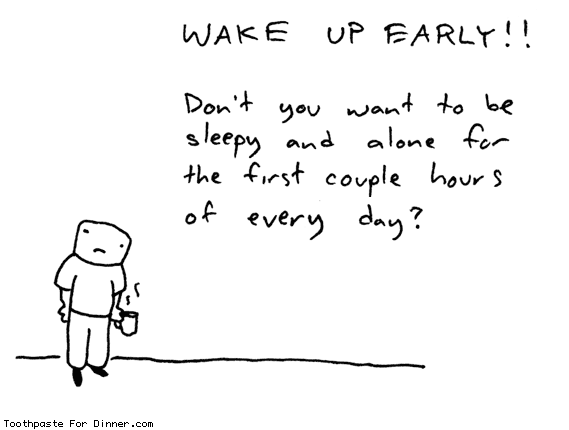
4. Early to Bed, Early to Rise - Nothing makes it harder to concentrate than sleep deprivation. You’ll be most rejuvenated if you go to bed early and don’t sleep more than 8 hours. If you stay up late and compensate by sleeping late, you’ll wake up lethargic and have trouble focusing. In my experience the early morning hours are the most tranquil and productive. Waking up early gives you more productive hours and maximizes your mental acuity all day.
If you have the opportunity, take 10-20 minute naps when you are hit with a wave of drowsiness. Anything longer will make you lethargic, but a short nap will refresh you.
5. Take Time to Reflect - Often our lives get so hectic that we become overwhelmed without even realizing it. It becomes difficult to concentrate because nagging thoughts keep interrupting. Spending some time alone in reflection gives you a chance organize your thoughts and prioritize your responsibilities. Afterwards, you’ll have a better understanding of what’s important and what isn’t. The unimportant stuff won’t bother you anymore and your mind will feel less encumbered.
I’m not saying you need to sit on the floor cross-legged and chant ‘ommm’. Anything that allows a bit of prolonged solitude will do. One of my personal favorites is taking a solitary walk. Someone famous said, “All the best ideas occur while walking.” I think he was on to something. Experiment to find the activity that works best for you.
source->www.pickthebrain.com


How to Block a Sender in Yahoo! Mail
|
0
comments
|
Labels:
WEB TRICKS

Yahoo! Mail can block all mail from up to 500 email addresses. All mail from these senders will be automatically deleted before you see it.
Do not let the high number of potential addresses to block lure you into fighting spam with this, though. Spammers can use a fresh address (or domain) for just about every message.
Use the list of blocked senders for individual senders whose messages you don't want to receive but can't stop easily. Instead of deleting every incoming mail manually, you can have Yahoo! Mail do the job.
Block a Sender in Yahoo! Mail
To have Yahoo! Mail delete all mail from a particular address automatically:
- Select Options | Mail Options... in Yahoo! Mail.
- Go to the Spam category.
- Type the unwanted email address under Add a blocked address:.
- Click Add.
- Now click Save Changes.
Block a Sender in Yahoo! Mail Classic
To add an email address to the list of blocked senders in Yahoo! Mail Classic:
- Follow the Mail Options link in the top navigation bar.
- Select Block Addresses, which you can find under Management.
- Enter the email address you want to be blocked under Add Block.
- Select Add Block.
- Select Yes to set the block.
∂єтє¢т ιηνιѕιвℓє υѕєяѕ ιη уαнσσ мєѕѕєηgєя – 10 ∂郃єяєηт ωαуѕ – αℓℓ ωσякιηg
|
0
comments
|
Labels:
WEB TRICKS
Well, if they are invisible, they definitely don’t want to chat with you and have personal time. For your curiosity, I have compiled a list of applications and web sites, that help you find out which yahoo messenger friends areinvisible, office or online.
Invisible-scanner.com : This is one of the best site to find the status of yahoo user. It is very fast and accurate. Also, displays the cached display picture.

YDetector.com : This is another very good web site to detect invisible yahoo friend. It is very fast, accurate and is continuously improving service. Displays the profile pic.

Vizgin.com : This has a very simple interface. Works accurate but slow compared to above two sites. Definitely a try, if the above servers are busy.

Buddy Spy : Unlike the above, this is a software application and needs to be installed. This is definitely worth. It has lot more options. Download here.

Invisible.ir : This has a clean interface. But the server is always busy and might give some inaccurate information.

2oost.com : This does not have a nice interface as above. It works. It does not show the display pic.
Invisiable.net : This has the same engine as the above. The page load has some errors.
Ymspy.com : This has a very different interface. Let me know if this works for you.
Buddycheck : This is again a software program. This is not recommended as it requires the friend must accept to be added into this program, so you can keep monitoring later. This also has a paid version.
Vngrabber.com : This is a very early site to allow detect invisible users. This is undergoing some major server changes and is expected to come back.
Xeeber.com : This is the most popular site to detect invisible yahoo ids. This is currently unavailable.
source->www.webisee.com
5 Reasons Why You Might Want To Switch From XP To Windows 7
|
0
comments
|
Labels:
WEB TRICKS,
Windows 7 tips and tricks

window xp an excellent operating system. The majority of Windows users are still running Windows XP followed by window vista and other variants. XP is leading the field by a ratio of 3:1 according to statistics gathered on w3school (the operating system gets transmitted usually when a user opens a website). That alone is reason enough to define Windows Vista as a failure; Or Windows XP excellent and Windows Vista not convincing enough for the majority of Windows users to make the switch. Enter Windows 7. Windows 7 will be released this year. The last information suggest a release in October 09. Windows XP users once again have to make the decision if they want to make the switch or stick with their operating system.
The following paragraphs list five reasons why Windows XP users might want to make the switch to Windows 7. To be perfectly clear: It is without doubt possible to use Windows XP as the main operating system in the coming five or ten years. A friend of mine was still running Windows 98 when Windows Vista came out. The main question however is if the majority will makethe switch. Will Microsoft’s new operating system Windows 7 convince users to make the switch? 
1. Security
The introduction of UAC and several other security components in Windows Vista was probably one of the most annoying experiences forusers who switched from XP to Vista. While it did increase the security of the computer system it annoyed users to now end to see UAC prompts all the time. Windows 7 will still use UAC but with a reduced number of user prompts. A convincing reason why UAC is good are the monthlysecurity patches and classifications that Microsoft releases. Many vulnerabilities are classified as critical for Windows XP systems but only as important on Vista systems.
It is quite possible to pimp Windows XP with third party application reach the same, or even a better level of security, than Windows 7 will provide out of the box but installing those solutions is usually left to computer geeks and those with the know how to do so. The average user installs asecurity software and that’s usually it. Microsoft will supply Windows XP users with security patches until 2014 with a likely scenario that support gets extended a few years after that.
2. Hardware Compatibility
There are not many differences in hardware support between Windows XP and Windows Vista. The only notable difference that might affect users in the future is the support of Direct X 10 in Windows Vista while Windows XP users have only access to Direct X 9. While this is not a huge problem at the time being thanks to both game devolpers and hardware manufacturers it could become a issue in the coming years.
Direct X 10 compatible hardware was scarce when Direct X 10 came out. Even scarcer were the games that supported the new standard. This was largely because game developers did not want to spend resources in both Direct X 9 and 10 development and because video cards that were able to deliver good framerates were practically not available. Windows 7 will ship with Direct X 11 which again will not be available forWindows XP users . It is likely that the release of Windows 7 will see a critical mass shifting to Direct X 10 and 11 compatible gaming which might leaveWindows XP gamers behind. They probably can play the games but will face a different game experience.
Other new hardware standards and devices might not work with Windows XP in the future. Hardware developers will eventually stop producing drivers for Windows XP. While this surely will not happen in the next two years it is likely that this is going to happen eventually.


Many users don’t like the default themes and designs of Windows XP. Microsoft did not exactly deliver a great variety of themes and customizability options in Windows XP. A handful of official themes deliver over the period of years is nothing that they should brag about. The users once again created a thriving scene of theme developers and operating system modifiers. This again was something for the hardcore users who knew how to patch system files to use different themes and such.
Windows 7 will come with a never seen before customizability. It will ship with regional themes, dozens of wallpapers, sound schemes and other interface elements.Users can create their own themes easily and even save the themes to share it with friends and the global community.
The Windows 7 design looks more eye pleasing and 21st century like than that of Windows XP. At least for most users who are asked the question.
4. Speed and Performance
Windows 7 will beat Windows XP performance wise. It will boot faster, use less system resources like cpu and computer memory while running and add better performance for SSD devices which will become a huge part of the storage device market in the coming years. It beatsWindows XP (and Windows Vista if that matters) fair and square in all performance related benchmarks.
5. New And Overhauled Features
Windows 7 adds several new features to the table. Some are not really aimed at a mass market like the multi-touch support, biometric devices or handwriting recognition. Several key elements have been overhauled, most notably probably the Windows taskbar which integrates many interesting new features. Many of the features that have been added make Windows 7 more attractive. Think of included system codecs to play divx movies or DVDs without the need for third party applications.
Saturday, January 30, 2010
Computer slowdown ? MAKE IT FAST
|
0
comments
|
Labels:
WEB TRICKS,
WINDOWS XP TRICKS AND TIPS

Is your computer testing your patient by as-usual irritation of hanging and slowing while doing out the vital jobs. If so, don't kick your computer. Just kick your brain. Here is some tips what we use often and also advice others to do so to rescue their system. After following up of our steps make sure that your RAM vb script script file appears like this. If you think you had done it then go ahead save it on your desired location and just double click on that file whenever you feel that you need some rescue to your system.
Rescueing steps:
step1: open notepad and type.
step2: FREEMEM=SPACE(640-00000)
step3: save it as ram.vbs.
step4: now run the script.
Result: Your computer will be 100% faster and rescued.
Rescueing steps:
step1: open notepad and type.
step2: FREEMEM=SPACE(640-00000)
step3: save it as ram.vbs.
step4: now run the script.
Result: Your computer will be 100% faster and rescued.
Easily know the full specifications of a PC
|
0
comments
|
Labels:
WEB TRICKS,
WINDOWS XP TRICKS AND TIPS

Know your system fissures, BIOS version, OS version and all A to Z about your system. Its very hard to keep remembering all your system host information. Here is the 5 step amazing command.
Step1: Go to RUN
Step2: type CMD
Step3: press Enter
Step4: type systeminfo
Step5: press Enter.
Result: All your system information will be displayed. Even the system usage time from the start up will be displayed
Step1: Go to RUN
Step2: type CMD
Step3: press Enter
Step4: type systeminfo
Step5: press Enter.
Result: All your system information will be displayed. Even the system usage time from the start up will be displayed
How To Download and Play Flash Games Offline
 Do you like to play flash games online? Have you ever wondered if there is a way to download those flash games to your computer and play them on your desktop without seeing distracting ads ?
Here we’ll show you how to do just that. First how to download flash games to your PC and then how to play them offline. So if you’re hooked on some addictive flash game this guide should help you get it offline and play it on your desktop.
1. Download Flash Games
Downloading flash games to your PC is a fairly easy process and there are lots of ways to do it. One way to get the game file is to look inside the page’s source code and find the direct link to the game file on the site. Another option is to wait for the game to load in your browser and later get it from the temporary files folder of your browser. Or you can just go to the site calledFile2HD and let it get the game file for you. We have already featured it earlier as a MP3 and video download tool for Myspace.
File2HD can help you download flash games from most of the online gaming sites. That being said, it doesn’t work with Kongregate, one of the best sites for Flash games. Althou I had no problems getting flash games from hugely popular sites like AddictiveGames.
So how does it work:
1. Go to the page with the flash game you want to download.
2. Copy the page URL and paste it into File2HD.
3. Set ‘Filter’ to ‘Objects’ option and click on ‘Get Files’ button.
4. Next, File2HD should retrieve the direct link to the game file.

5. Right click on the link an use ‘Save Link As’ option to save the game to your computer.
2. Play Flash Games Offline
Once you have the game files on your system you can use a simple freeware program calledFlashOffliner (Windows only) to take those raw .swf flash files, turn them into playable games, and neatly organize them under one menu.
Here are the steps you need to do:
1. Download and Install FlashOffliner.

The FlashOffliner setup comes with 2 games by default and 3 more that can be added later. If you want to install them as well then check step 4.
2. Once you have FlashOffliner up and running, you should see a new icon in the taskbar. Right click on the icon to see the list of available games and program options.

3. It takes two steps to add a downloaded flash game to your FlashOffliner games list. The first thing you need to do is click on the ‘Create New Flash Offliner Package’ and then point it to the downloaded file. Then you will be asked to name your new game and for a couple of more optional details. At the end it should create game_name.fop file for you.
4. Again right click on the FlashOffliner icon and this time select the ‘Install FlashOffliner Option’. Point the app to the newly created game_name.fop file to “install” the game.
5. This will install the game and add it to your FlashOffliner games. See screenshot below.

That’s about it, now you can simply click on the game of your choice and play it offline right on your desktop. By default the game window size is set to 800×600 but you can easily resize it to 400×300, 640×480, 1024×768 or Full Screen mode.

Keyboard Shortcuts

When speed counts, the keyboard is still king. Almost all the actions and commands you can perform with a mouse you can perform faster using combinations of keys on your keyboard. These simple keyboard shortcuts can get you where you want to go faster than several clicks of a mouse. You'll work faster on spreadsheets and similar documents, too, because you won't lose your place switching back and forth between mouse andkeys.
Here are some of the most useful keyboard shortcuts:
Copy. CTRL+C
Cut. CTRL+X
Paste. CTRL+V
Undo. CTRL+Z
Delete. DELETE
Delete selected item permanently without placing the item in the Recycle Bin. SHIFT+DELETE Cut. CTRL+X
Paste. CTRL+V
Undo. CTRL+Z
Delete. DELETE
Copy selected item. CTRL while dragging an item
Create shortcut to selected item. CTRL+SHIFT while dragging an item
Rename selected item. F2
Move the insertion point to the beginning of the next word. CTRL+RIGHT ARROW
Move the insertion point to the beginning of the previous word. CTRL+LEFT ARROW
Move the insertion point to the beginning of the next paragraph. CTRL+DOWN ARROW
Move the insertion point to the beginning of the previous paragraph. CTRL+UP ARROW
Highlight a block of text. CTRL+SHIFT with any of the arrow keys
Select more than one item in a window or on the desktop, or select text within a document. SHIFT with any of the arrow keys
Select all. CTRL+A
Search for a file or folder. F3
View properties for the selected item. ALT+ENTER
Close the active item, or quit the active program. ALT+F4
Opens the shortcut menu for the active window. ALT+SPACEBAR
Close the active document in programs that allow you to have multiple documents open simultaneously. CTRL+F4
Switch between open items. ALT+TAB
Cycle through items in the order they were opened. ALT+ESC
Cycle through screen elements in a window or on the desktop. F6
Display the Address bar list in My Computer or Windows Explorer. F4
Display the shortcut menu for the selected item. SHIFT+F10
Display the System menu for the active window. ALT+SPACEBAR
Display the Start menu. CTRL+ESC
Display the corresponding menu. ALT+Underlined letter in a menu name
Carry out the corresponding command. Underlined letter in a command name on an open menu
Activate the menu bar in the active program. F10
Open the next menu to the right, or open a submenu. RIGHT ARROW
Open the next menu to the left, or close a submenu. LEFT ARROW
Refresh the active window. F5
View the folder one level up in My Computer or Windows Explorer. BACKSPACE
Cancel the current task. ESC
SHIFT when you insert a CD into the CD-ROM drive Prevent the CD from automatically playing.
Use these keyboard shortcuts for dialog boxes:
Move forward through tabs. CTRL+TAB
Move backward through tabs. CTRL+SHIFT+TAB
Move forward through options. TAB
Move backward through options. SHIFT+TAB
Carry out the corresponding command or select the corresponding option. ALT+Underlined letter
Carry out the command for the active option or button. ENTER
Select or clear the check box if the active option is a check box. SPACEBAR
Select a button if the active option is a group of option buttons. Arrow keys
Display Help. F1
Display the items in the active list. F4
Open a folder one level up if a folder is selected in the Save As or Open dialog box. BACKSPACE
Move backward through tabs. CTRL+SHIFT+TAB
Move forward through options. TAB
Move backward through options. SHIFT+TAB
Carry out the corresponding command or select the corresponding option. ALT+Underlined letter
Carry out the command for the active option or button. ENTER
Select or clear the check box if the active option is a check box. SPACEBAR
Select a button if the active option is a group of option buttons. Arrow keys
Display Help. F1
Display the items in the active list. F4
Open a folder one level up if a folder is selected in the Save As or Open dialog box. BACKSPACE
If you have a Microsoft Natural Keyboard, or any other compatible keyboard that includes the Windows logo key and the Application key , you can use these keyboard shortcuts:
Display or hide the Start menu.
Display the System Properties dialog box. +BREAK
Show the desktop. +D
Minimize all windows. +M
Restores minimized windows. +Shift+M
Open My Computer. +E
Search for a file or folder. +F
Search for computers. CTRL+ +F
Display Windows Help. +F1
Lock your computer if you are connected to a network domain, or switch users if you are not connected to a network domain. + L
Open the Run dialog box. +R
Display the shortcut menu for the selected item.
Open Utility Manager. +U
Display the System Properties dialog box. +BREAK
Show the desktop. +D
Minimize all windows. +M
Restores minimized windows. +Shift+M
Open My Computer. +E
Search for a file or folder. +F
Search for computers. CTRL+ +F
Display Windows Help. +F1
Lock your computer if you are connected to a network domain, or switch users if you are not connected to a network domain. + L
Open the Run dialog box. +R
Display the shortcut menu for the selected item.
Open Utility Manager. +U
Helpful accessibility keyboard shortcuts:
Switch FilterKeys on and off. Right SHIFT for eight seconds
Switch High Contrast on and off. Left ALT +left SHIFT +PRINT SCREEN
Switch MouseKeys on and off. Left ALT +left SHIFT +NUM LOCK
Switch StickyKeys on and off. SHIFT five times
Switch ToggleKeys on and off. NUM LOCK for five seconds
Open Utility Manager. +U
Switch High Contrast on and off. Left ALT +left SHIFT +PRINT SCREEN
Switch MouseKeys on and off. Left ALT +left SHIFT +NUM LOCK
Switch StickyKeys on and off. SHIFT five times
Switch ToggleKeys on and off. NUM LOCK for five seconds
Open Utility Manager. +U
Keyboard shortcuts you can use with Windows Explorer:
Display the bottom of the active window. END Display the top of the active window. HOME
Display all subfolders under the selected folder. NUM LOCK+ASTERISK on numeric keypad (*)
Display the contents of the selected folder. NUM LOCK+PLUS SIGN on numeric keypad (+)
Collapse the selected folder. NUM LOCK+MINUS SIGN on numeric keypad (-)
Collapse current selection if it's expanded, or select parent folder. LEFT ARROW
Display current selection if it's collapsed, or select first subfolder. RIGHT ARROW
Get your Voicemail in Text Format with Ribbit
|
0
comments
|
Labels:
WEB TRICKS
Following the review of free service of YouMail, I would like to present one more voicemail related services, offered by Ribbit Mobile. The set of the offered features was so attractive, so I have decided to sign for Beta testing. Less than two weeks after signing for the waiting list, I got couple of days ago invitation, and got a chance to test the provided services.

Free Basic Account with Ribbit will provide the following features:
- Unlimited Automated Voicemail Transcription.
- Free Web call to Ribbit Mobile members.
- Email, SMS, IM, and web-based transcript delivery.
- Account is limited to a single phone number.
Note that Ribbit offers two levels of voicemail transcriptions. Free accounts come with automated transcriptions. Users with professional accounts - which are free during the beta period - can also choose to have 'business-class' level transcriptions, where a human checks the computer-transcribed text and edits it. Definitely, now, the transcription is highly professional, and if you decide to keep your account free, following the beta period, the feature will be converted to automated, which definitely is less accurate. But we will wait and see.
Web-based account interface gives you the most convenient approach to all your calls and voicemail transcripts history in details.
Want more – target to acquire professional account with phone number to combine all your phone needs, the same way as Google Voice.
Stydial: Voicemail as Free Alternative to Text Messaging
|
0
comments
|
Labels:
WEB TRICKS
How the modern communication works? You call the number, and if the number is not available, you leave a voicemail. Sometimes, you feel even better, when the number is not available, since it is easier in certain occasions being able to deliver one-way message instead of being involved in the two-way conversation. Would not be great, if it will be in your power choosing to leave the voicemail directly without impatiently waiting if your counterpart is available? Yes, its like leaving voice SMS.

If there is a question, Internet provides solution. Stydial free services have answer for your needs. Here are the list of potential situation, offered by Stydial, when provided solution might significantly helping you save time, money, and mental discomfort:
- Give your fingers a break
You need to get some pertinent, detailed information to someone quickly but you don't have time for the idle chit chat that would certainly follow if you called them. Typing it all out in a text message would just be agony! Instead just leave a quick voicemail and your fingers will thank you. - Maximize your time
You are working on a dozen different projects and have as many calls to return. Instead of being stuck on the phone with just one, leave each a voicemail with an update and you may just have enough time to enjoy Happy Hour. - Create the illusion of communication
You maxed out your emergency credit card the first week of school. Your parents are looking for some answers. A text message isn't going to cut it but a voicemail would mean that you tried calling them. - Let them know you care
From the moment you wake up to the moment you go to bed, your days are hectic! Friends and family call you and leave messages and you never seem to have enough time to call them back. Now you can leave a sweet voicemail for each and the sound of your voice will surely brighten their day. - Get your point across without interruption
Upon your friend's recommendation, you decide to go to a resort in the - Have your cake and eat it too
You desperately need to call your girlfriend but she is a talker and you don't want to spend an hour on the phone with her because you would much rather watch the game with your buddies. Leave her a sweet voicemail and get a reprieve for the night. - Play the field more effectively
You are dating quite a few people at the same time. You don't want to leave them all text messages because there is nothing romantic about that. But a nice voicemail to each would score you points. - Don't cause a ten car pile up
You are in your car on your way home. Normally you would maneuver through traffic as you text message people creating a potential recipe for disaster. Instead just leave a few quick voicemails so you stay between the lines and out of the emergency room. - Just call to confirm
You have several meetings scheduled for the afternoon. You want to call to confirm but you don't want to disturb them or give them the opportunity to reschedule. Being able to just leave them a voicemail is not only polite but advantageous. - Appease your family
Your Aunt June sent you a sweater for your birthday. You need to call her to thank her but you don't want to listen to her go on and on about her recent hip replacement. Instead just leave her an appreciative voicemail that she can share with her bridge club. - Just tell your side of the story
You just partied hard last night and going to work is just not on your radar today. You dread having to call your boss and answering any awkward questions he may have. Instead just leave him a simple voicemail letting him know that you won't be coming into work today. - Let them know that you didn't forget
You just remembered that it is your friend's birthday. You want to call her but it is really late and you don't know if she is still up. Don't take the chance that you might awake her from her beauty sleep. Instead just leave her a sweet voicemail. - Don't be a bother
You just gave an awesome pitch to a potential client. You want to call him and thank him for the opportunity but you know he is in another meeting and don't want to bother him. Leave him a voicemail and this personal touch may just tip the scales in your favor. - Buy yourself some time
You go to a week long convention for work in
Using the Service
- Dial 267-SLYDIAL (267-759-3425) from any landline or mobile phone.
- At the voice prompt, enter the U.S.
- You will be directly connected to their voicemail. Leave them a voicemail, sit back and relax.
To use the slydial services, there is no need to register on site, or sign in to start. However, with free basic service, you are exposed to the advertising in every dialed call. With paid MYslydial premium services, you can enjoy rapid connection to voicemail with NO advertising as well as all Advanced Features including our slydial Apps for iPhone, BlackBerry, and Windows Mobile smartphones. Note that you can still use the service directly from all mobile phones without special applications install, just dialing the general number 267-SLYDIAL.
Check the previous posts on other ways to enhance your mobile voicemail features:
Ribbit and YouMail.
Subscribe to:
Posts (Atom)
..


 Chinese
 French
 German
 Italian
 Japanese
 Korean
 Russian
 Spanish
